HighLevel Project Management + Native Ticketing System
Native Project Management and Ticketing in HighLevel
Delivery and support are managed through different tools. Client projects are managed in ClickUp/Asana. Tickets are managed in a different inbox. The CRM has the client record and the opportunity, but the project management and ticket history is somewhere else. There are inefficiencies in hand-offs, reporting is inconsistent and requires multiple apps and hand-offs.
This gap is being closed with the introduction of native Project Management and native Ticketing in HighLevel. Both were introduced during the LevelUp 2026 event and are part of the Founder Plan roadmap. Project Management has already been launched (Private Beta for selected accounts), Ticketing has been announced for future availability (coming soon). Availability depends on your account type - always check in your sub-account before making any promises to clients.
What is included in the Native Project Management
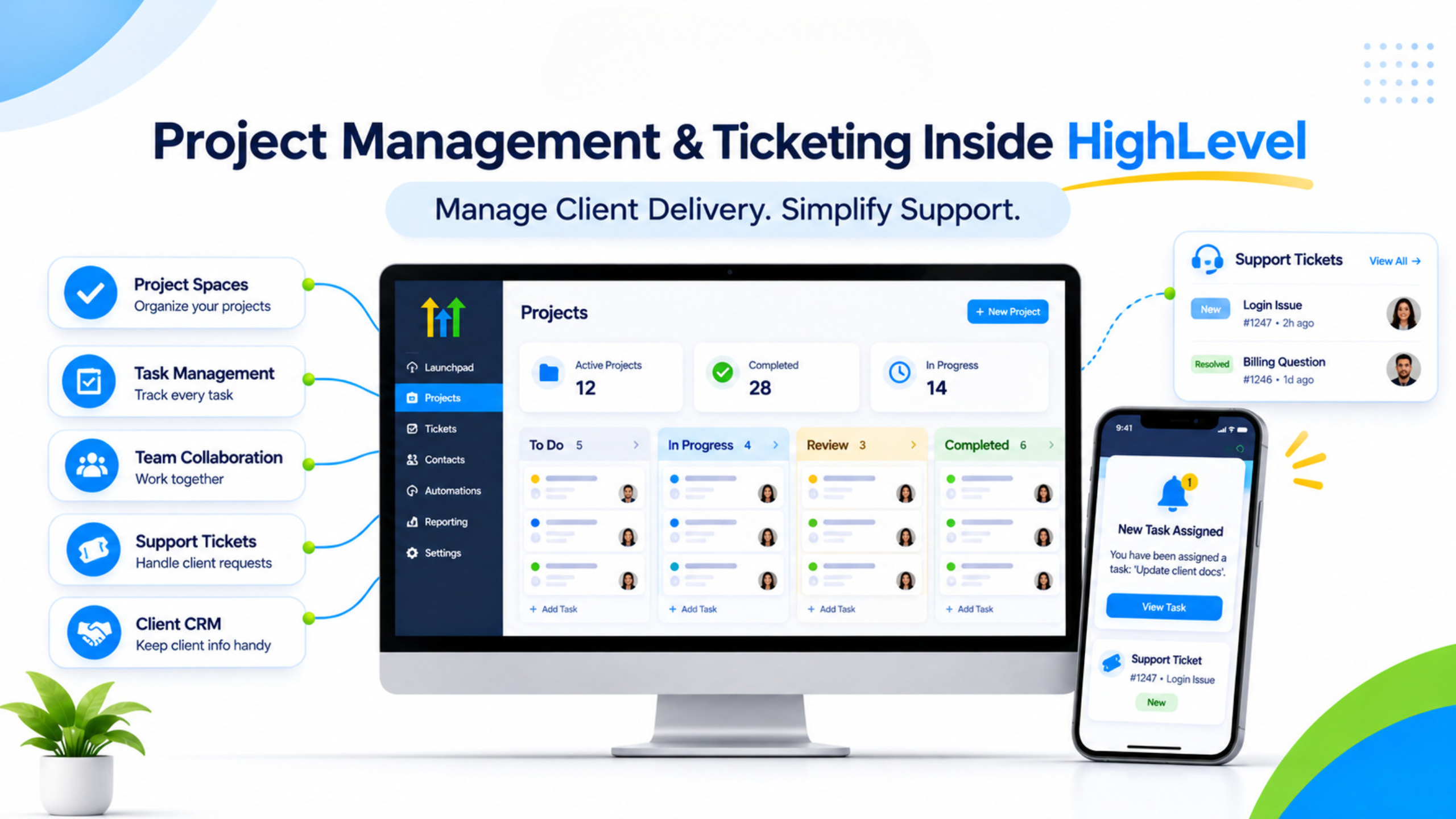
Project Management replaces the previous task experience with an organized workspace. Create Spaces, then organize your work with folders, lists, tasks, and subtasks. Tasks can have assignees, due dates, priorities, custom fields, and comments. The privacy control option allows you to separate the internal from client-visible work when necessary.
Available Views include List View and Board View (Kanban). Grouping, filtering, sorting, and multiple saved views are available. Tasks are related to the CRM records including contacts, companies, opportunities, and custom objects so that the delivery work is right next to the people and deals in the pipeline. AI will allow drafting plans, priorities, and approved updates thus saving planning time.
The board customization includes bulk actions, card layout options, and statuses configuration.
The Additional Benefits that Native Ticketing Offers
Tickets create support tickets from customer requests and conversations by providing the structure of those requests and conversations. A ticket has the ownership, priority, status, service level reporting, and tracking of the ticket. The conversation is kept within the communication layer while ticketing provides the operations layer.
It is built to be integrated into HighLevel so that tickets will remain linked to the same contacts and opportunities as sales and delivery teams. It helps avoid the classic "support sees one story and sales sees another" dilemma.
Importance for Agencies
Delivery and support are the activities that agencies have to do well in order to keep their customers or risk losing them. Once such activities happen outside the CRM, there is no more context and they are done manually. Native Project Management connects the task with the contact and opportunity. Native Ticketing connects support activity with the same record. Agencies can handle delivery and support in the same place where marketing, pipelines, and payments take place.
How to Use and Set Up Project Management
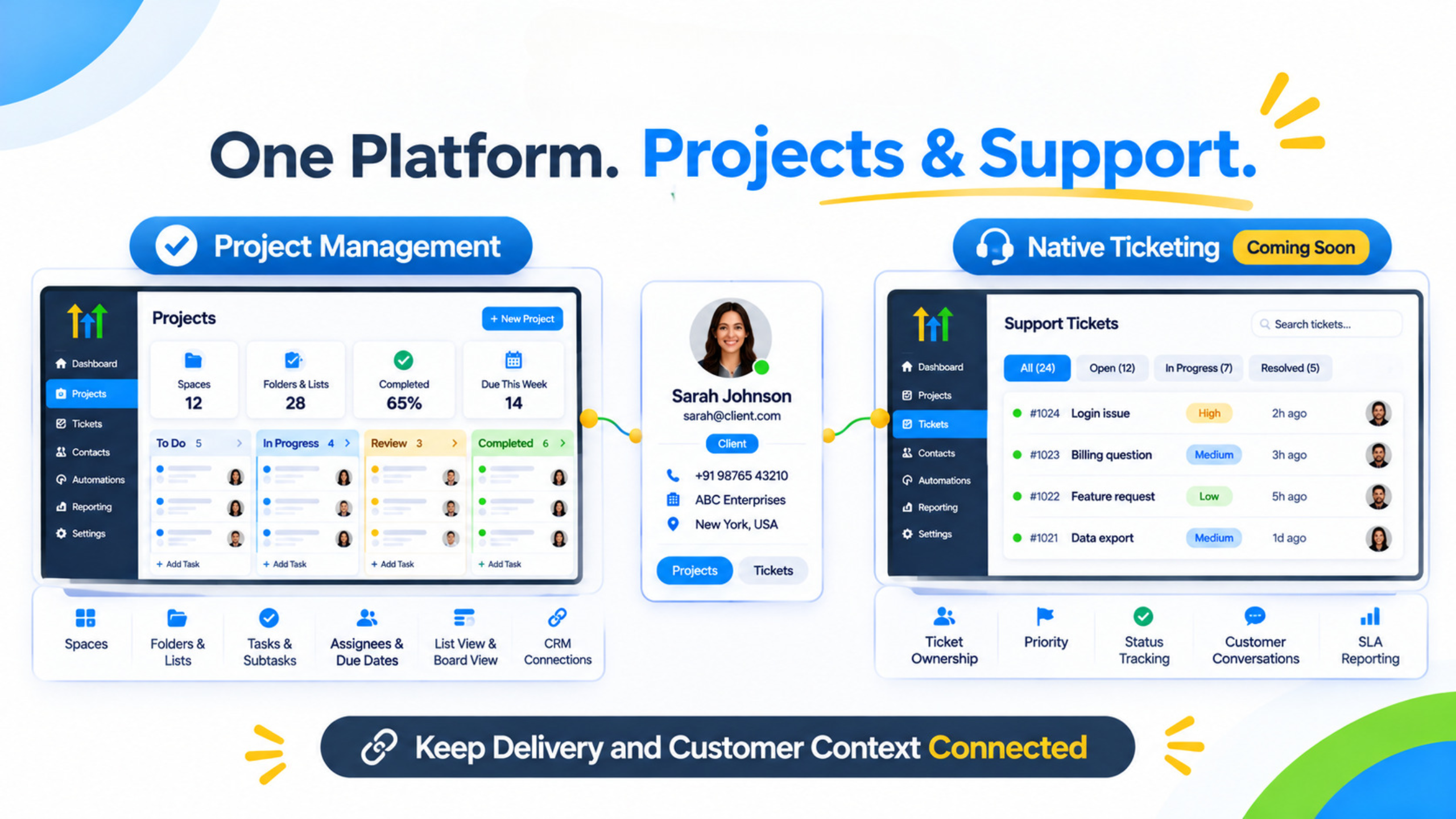
Once Project Management becomes available in your account (this feature will either be in Tasks or there will be an entire Project Management tab), begin with creating one Space for one client or internal procedure. Create lists that correspond with your delivery stages. Create a couple of tasks with assigned owners and due dates. Connect each task to the corresponding contact or opportunity. Use Board view for visualization and List view for search purposes. Create subtasks if necessary and add comments if required. Try out Ask AI if you feel ready for planning after having done that.
Regarding Ticketing, you should wait until the feature becomes live in your account and set up the way how requests come from your customers now (via forms, via chats, by email) as well as create owners, priorities, and statuses which your team uses now.
Use Case for Practical Agency Use
The team onboard their new coaching client. Prior to having Project Management, the onboarding checklist existed in a different project tool while the opportunity was located in HighLevel. Now with Project Management, the team creates a Space for this client, makes the list of all onboarding activities, gives the owners for the tasks and due dates as well as assigns all the tasks to the contact and opportunity. The subtasks include forms collection, calendar and first call preparation. All comments will be added to the task. In case of any support queries later, Ticketing (when available) can make a ticket from the conversation against the same contact.
Old Way vs Native Tools
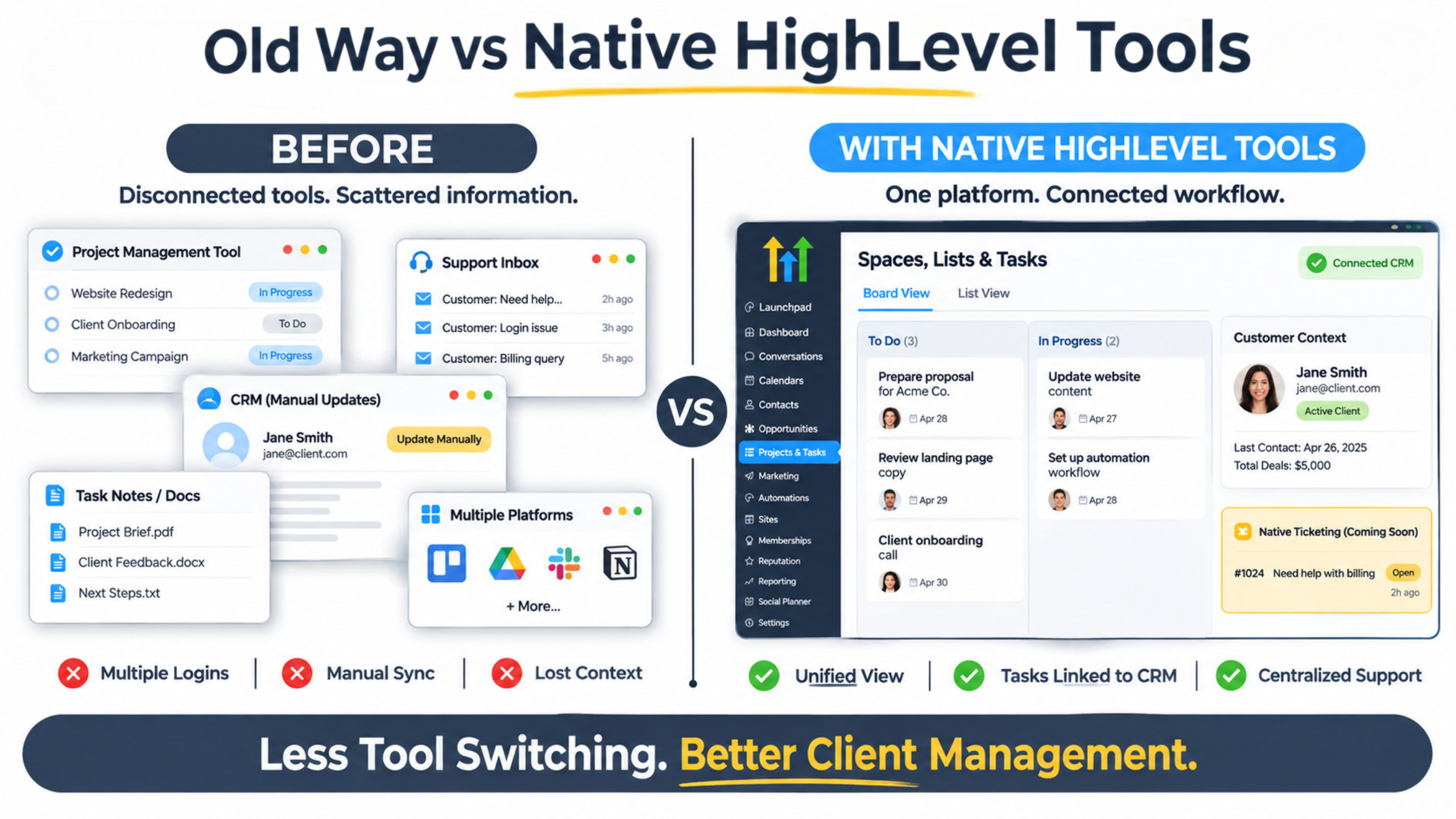
Need | Before | With native PM + Ticketing |
Client delivery tracking | External project tool | Spaces, lists, tasks linked to CRM |
Support requests | Separate help desk or inbox | Structured tickets with ownership and SLAs |
Context for team | Manual updates across tools | Tasks and tickets on the same contact/opportunity |
Views and reporting | Split between systems | Board/List views + ticket reporting inside HighLevel |
Constraints and Current Situation
Project Management is being rolled out and may currently be in Beta or Limited Access mode for some accounts. Ticketing has been marked as a feature that is coming soon as per the roadmap for the Founder plan-make sure it is really there before building processes based on it. The depth of features (particularly SLA rules, reporting and automated triggers) will keep on increasing. Enterprise level projects and compliance driven support flows might need separate tools.
Frequently Asked Questions
Is Project Management live for everyone?
It’s rolled out. It’s available for some accounts (including private beta); more availability is being increased. Please check your sub-account.
When can we expect native Ticketing?
It was launched at the LevelUp 2026 conference as an upcoming feature on the Founder plan roadmap. Please check the status in your account.
Do tasks allow links with opportunities/contacts?
Yes. Project Management allows task connections with contacts, companies, opportunities, and custom objects.
Conclusion
The objective of HighLevel Project Management and native Ticketing is to ensure that your delivery and support functions can be done on the platform that is currently hosting your contact and pipeline. Agencies avoid tool clutter and keep the context associated with the customer. Funnel Pandit assists agencies and consultants to create Spaces and task structure in order to make sure that everything goes smoothly once these features are live on their account. Go to https://www.funnelpandit.com or begin with the referral link https://www.gohighlevel.com/pankaj-sharma