
HighLevel AI App Builder & Client Portal Storefront
HighLevel AI App Builder: Client Portal & Branded Apps
Client portals were always about static templates or costly development processes. Either agencies would accept the default template, or they'd pay developers to push the boundaries. The members would log into an experience separate from everything else in HighLevel. Building a branded mobile app was yet another task to be accomplished.
The HighLevel Client App Builder (nicknamed AI App Builder) has revolutionized this process. Found in the Labs section, this feature allows you to describe the experience you want for your Client Portal or mobile application using plain English. It will use AI to build the screens, design, and essential functionality of your app. Then it will connect your experience to existing features in the sub-account such as courses, communities, files, appointments, and member accounts. You will be able to launch a web portal and mobile Android apps and soon get support for iOS applications.
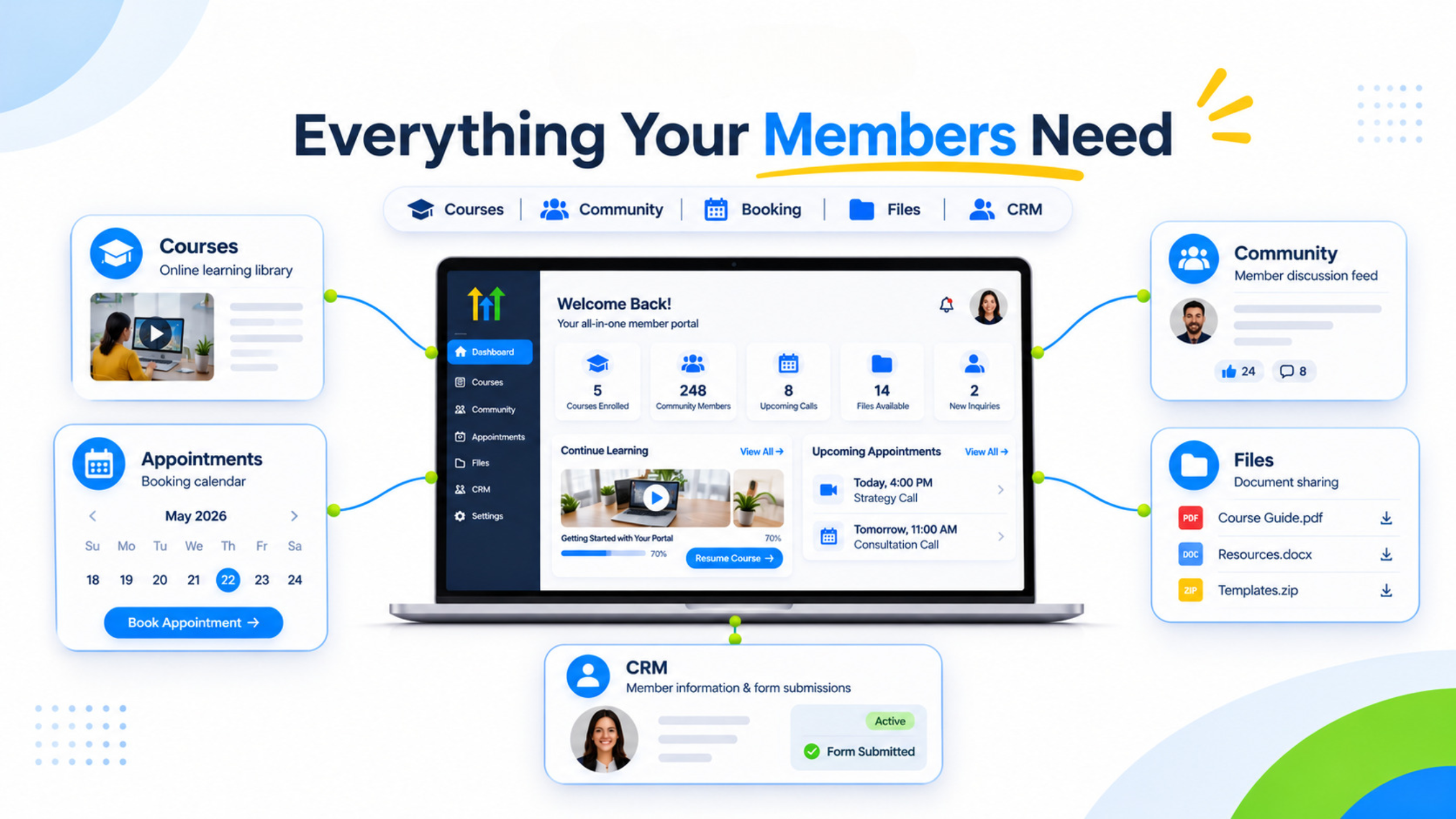
Features included in the AI App Builder
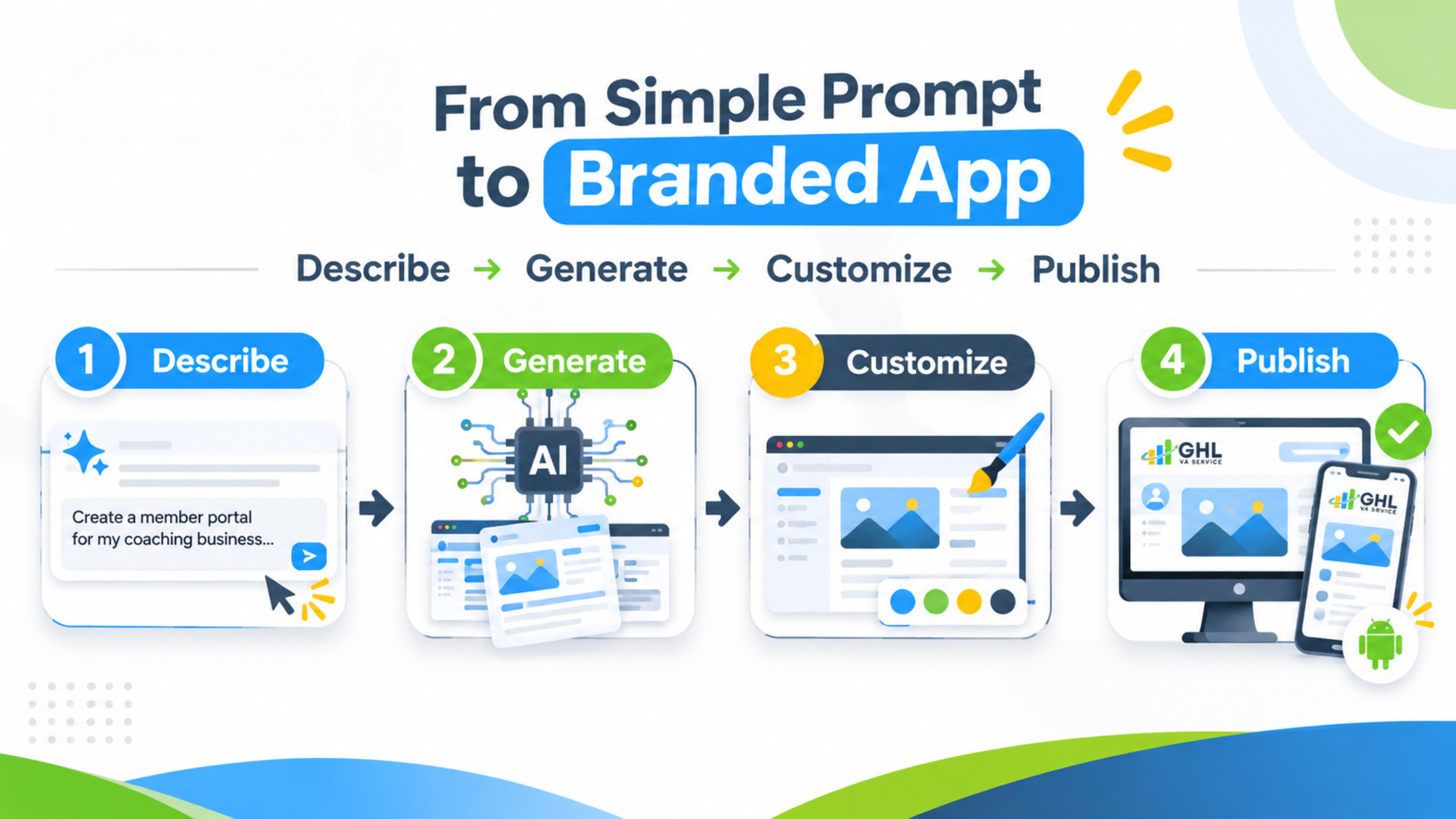
Enable the Client App Builder under Labs, and go into it. Pick your web or mobile experience, and give your description about your business, your users, and the member experience you would like. The AI will ask for clarification, will use the design system or brand book (including logo, colors, and pictures), and create a working page for you.
Inbuilt integration brings in all your Client Portal modules - courses, communities, file sharing, appointments, and member records. Authentication is already included (sign-in, sign-up, and join code onboarding). Custom Object allows the members to fill in the forms, which go straight to the CRM record of the sub-account. It supports custom domains (ten per portal in current documentation). Contact Us.
The conversational flow for mobile results in the creation of a branded Android app based on the Client Portal data. Publish creates the file that will be installed. Publishing for iOS, more templates, and faster generation are included in future actions.
This is the “storefront” component where all member tasks are completed in one branded experience rather than going through different applications.
How Does It Solve This Problem for Agencies and Coaches?
The Standard Client Portal template is not a differentiator, custom builds take both time and money. There are rarely mobile apps available in the client portal. If there are, that’s a separate company to work with. Multiple login portals and support channels for one and the same client become a norm. The AI App Builder allows creating the member experience right in HighLevel, using the same contacts, courses, and communities.
How to Build and Launch
Enable the Client App Builder under Labs.
Launch the builder and select either web or mobile.
Define the business, member experience, and mandatory pages like courses, community, booking, files, and applications.
Pick a design system and include brand assets.
Preview your created pages and further customize using prompts or manual edits.
Integrate or validate the current Client Portal modules.
Launch your web experience (with an optional custom domain) and launch your Android app for mobile when it's done.
Test everything from login to accessing content and any forms before launching it to your clients. Keep a short list of tested prompts for different portal types such as coaching membership, course library, and service client hub so you can build future portals more quickly.
Practical Agency Application Scenario
A consultant offers a coaching program consisting of courses, community and monthly group calls. Before, the clients had to use the default portal and separate calendar link. The consultant turns on the Client App Builder and tells the client about the idea of a simple membership portal with the course library, community feed, calendar of upcoming events and an application form for individual upgrades. The AI creates all the necessary pages and connects them to the existing courses and community. The company's colors and logo are applied in one click. The portal becomes operational after several days and is launched under a custom domain name. Now the clients have one branded place for all their activities. The application form automatically creates the records of Custom Objects in the CRM system. In the future, this project can be turned into an Android app. Our Services.
Old Way vs AI App Builder
Need | Before | With Client App Builder |
Branded member portal | Fixed templates or custom code | Describe and generate with AI |
Mobile app for members | External vendor or none | Android publish from same builder (iOS coming) |
Member data capture | Separate forms or manual entry | Custom Objects into CRM |
Connection to courses/community | Manual linking or limited | Built-in Client Portal modules |
Limitations and Controls before Making Promises to Clients
The Client App Builder is in Labs mode. Make sure that it is turned on and visible in your target sub-account. Publishing for Android devices is supported, while iOS is marked as upcoming - make sure to check the current status. The quality of the output is dependent upon the precision of the prompts as well as the difficulty of the experience. Navigation, permissions, and form destinations should always be tested. Real devices and actual member accounts should be used for testing.
FAQ:
Isn’t this the same as AI Studio?
Client App Builder is dedicated to Client Portal and branded member apps (web + mobile). AI Studio is the general conversational builder for websites and apps. They both use prompts; the portal builder is built particularly to connect with membership modules.
Is coding necessary?
No. You will design the experience through conversations and make adjustments visually. Custom Objects and CRM integrations are done via the builder itself.
Is it available on mobile for members?
Web portals can be accessed on mobile devices through browsers. Android native apps can be launched at present. iOS support is expected to follow-see your account dashboard for updates.
Conclusion
The HighLevel AI App Builder converts the description to a branded Client Portal and mobile app integrated with courses, communities, and CRM data. Agencies can create a professional member storefront without any need for custom development timeframes. Funnel Pandit is here to help agencies and consultants implement Client App Builder, create great prompts, and deploy client portals that the members will actually utilize. Learn more at https://www.funnelpandit.com or begin with a referral link https://www.gohighlevel.com/pankaj-sharma.