
HighLevel Agency Trust Center: Centralized A2P Management
HighLevel Agency Trust Center: A Centralized Way to Manage A2P
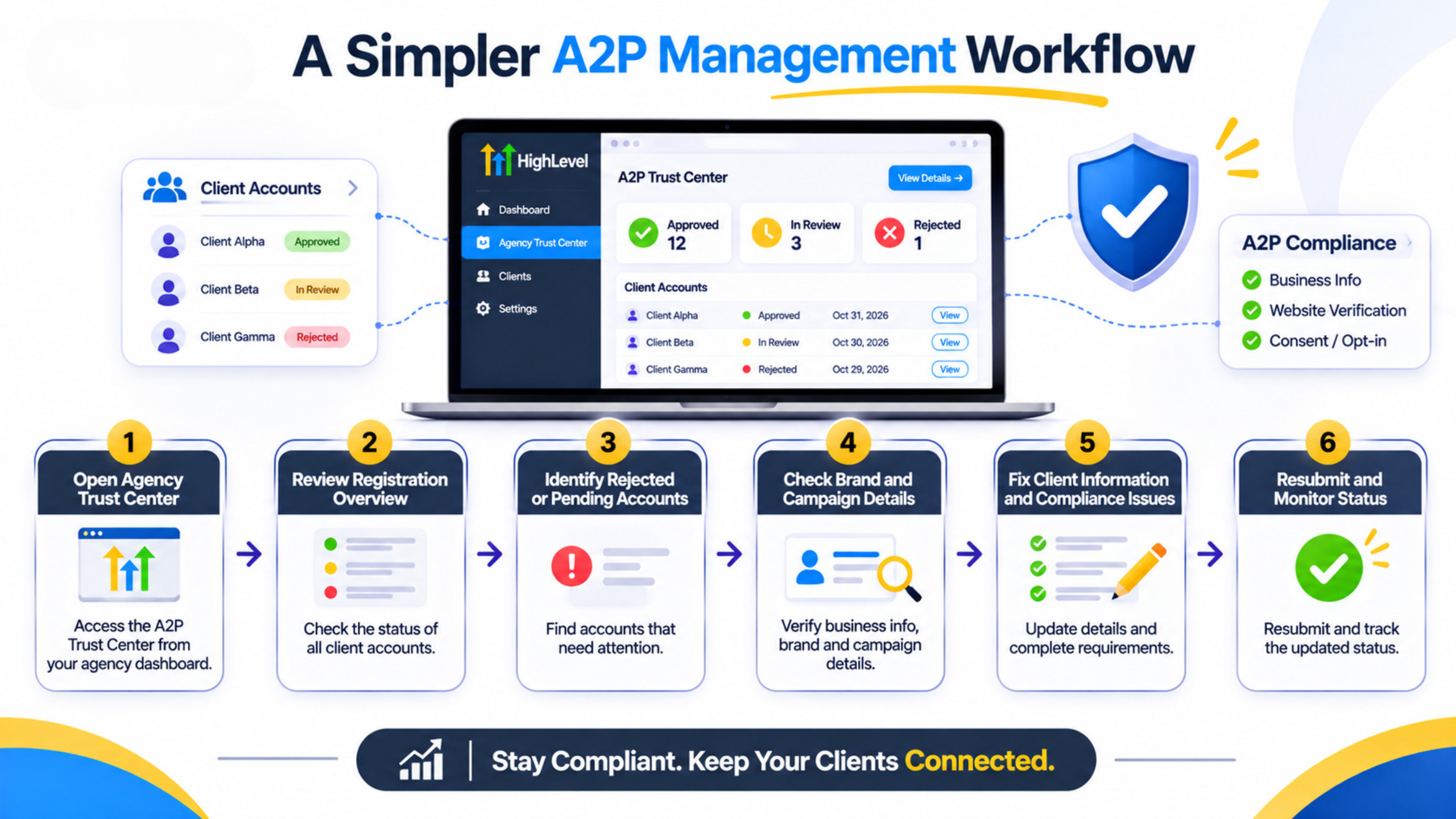
Those agencies that send text messages on behalf of their clients have had their fair share of the A2P 10DLC struggle. In order to have the status of a US-bound text message sub-account, it requires the approval of a certain Brand and Campaign within it. This implies checking up twenty clients to see their statuses in twenty different locations, searching for rejections and determining which are still under review. The agency will not be able to send appointment reminder texts if at least one of the campaigns is rejected.
With the help of HighLevel Agency Trust Center, agencies can now manage the entire process of registering A2P within all sub-accounts in one location. This product is available only with the Founder Plan.
What the Agency Trust Center Does
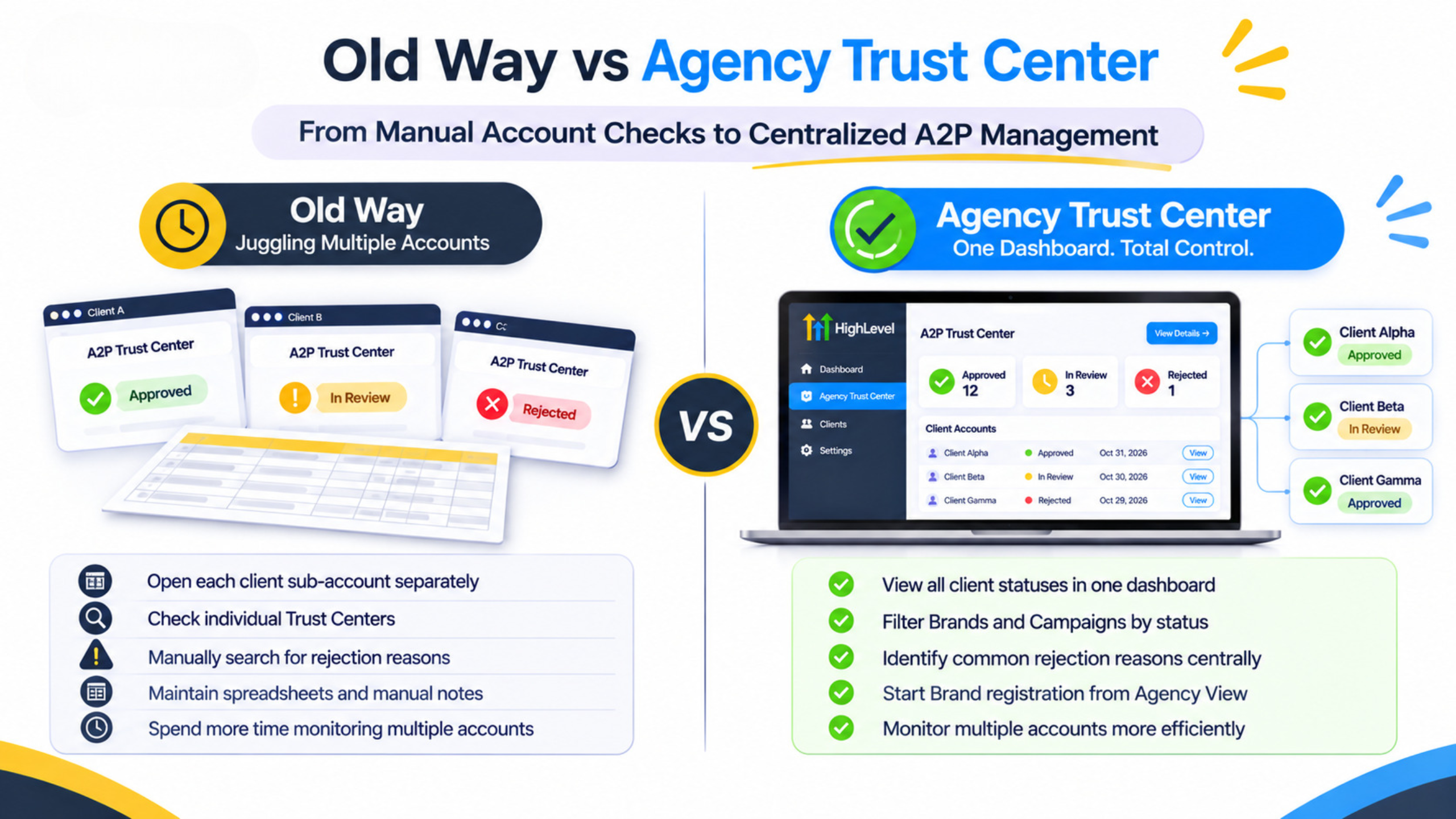
Enable the Agency A2P console through Labs in the Agency View, and then navigate to Settings > Phone Integration > Trust Center (A2P). In the Overview tab, there is the status of registration within the agency: fully approved, In review and Rejected numbers of brands and campaigns. The insight into rejection helps you figure out the most popular reason for rejection so that you can understand the pattern rather than each rejection on its own.
In the Brands tab, you can look up and filter by sub-account and status. There will be information about brand data, registration type, approval status, rejected reasons, and number of attempts left. The same function applies to the Campaigns tab. Through the console, you can launch the process of brand registration in the selected sub-account without going there.
In other words, this feature allows you to know: which clients have texting permissions and which cannot. About Us.
Why did agencies need it?
A2P Registration is mandatory in order to have consistent SMS delivery to US numbers through 10DLC. Any unregistered or rejected traffic will be filtered out. If you know about an issue only when the client tells you they do not receive any messages anymore, your support times go up. Onboarding will be slower because each client needs an individual review of their Trust Center.
It does not eliminate the need for business validation, compliant website, opt-in wording or message samples. It eliminates the need to click into each sub-account in order to find out what is wrong with them.
How to Use It Daily
Once the console has been turned on, check the Overview at least once per week. Look for spikes in Rejections or prolonged periods of In Reviews. Dig into Brands and Campaigns, filter for the problematic accounts, and look at the reasons for rejection. Fix whatever the issue may be in the account itself or in helping the client fix the issue (legally named incorrectly, website issues, weak opt-ins, etc.) and re-submit through the correct flow. With new clients, begin the Brand registration from the Agency Trust Center right from the beginning.
Keep an easy checklist internally of the most common reasons for rejection that you run into on your portfolio. Use the dashboard trends to determine where to beef up onboarding documentation before submitting another registration.
Practical Agency Usage Example
The agency has 80 sub-accounts sending SMS messages to US leads. Before the implementation of the Agency Trust Center, a compliance officer took half a day per week to open these accounts and document their statuses in a spreadsheet. Upon enabling the console, the officer opens the Overview tab and notes 12 accounts blocked due to rejection of certain brands and 4 accounts awaiting review. The rejections are mainly due to mismatches between websites and EIN names. The agency sends one set of instructions for fixing these problems, resubmits only the ones fixed and notes the others for clients' attention. Our Services.
Old Way vs Agency Trust Center
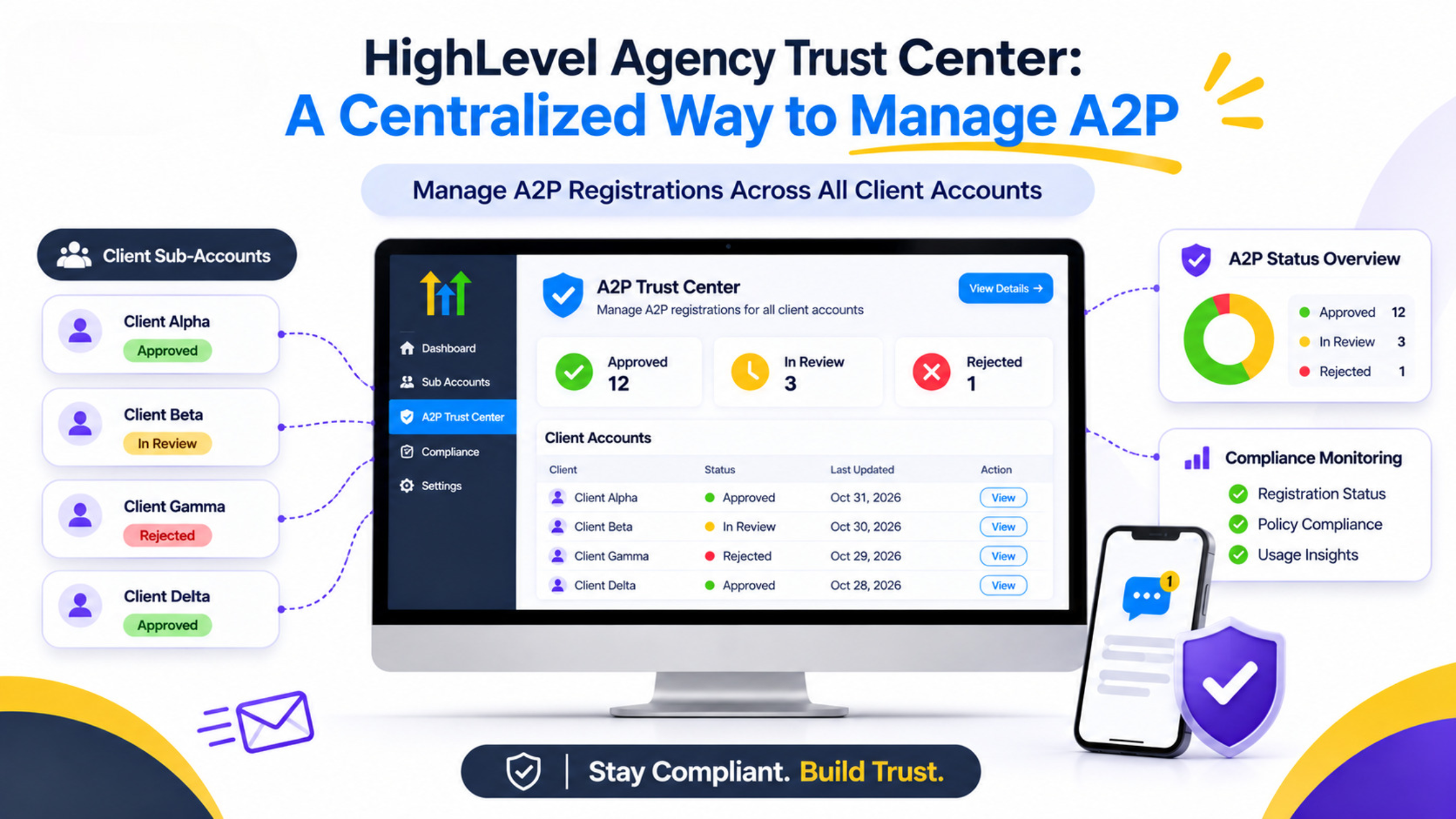
Task | Before | With Agency Trust Center |
Check A2P health across clients | Open each sub-account Trust Center | Overview dashboard in Agency View |
Find rejection reasons | Hunt inside individual accounts | Central rejection insights and filters |
Start new Brand registration | Enter the sub-account first | Start from Agency Trust Center and select the account |
Spot portfolio patterns | Manual notes or spreadsheets | Status counts and common failure reasons in one place |
Limitations and Requirements
Agency Trust Center can only be accessed from the Founder Plan. Ensure that this option has been enabled from the Labs section and is available under Phone Integration. It consolidates visibility and execution but does not change the Brand and Campaign data as well as the fees and carrier policies. Legal business names and EIN information must still match and be correct. Proper website and consent language should still be present as well. The Throughput and Trust Scores are still regulated according to carrier and TCR policies.
FAQ
1. Which plan offers the Agency Trust Center?
It is only available to agencies that are under the Founder Plan. The Agency A2P console can be turned on from Labs within the Agency View.
2. Does it substitute manual sub-account Trust Center activities?
It streamlines the process by centralizing monitoring and management. Although you have to fix data and do some tasks in a sub-account, there is no need to uncover issues by opening all the locations.
3. Can I register my client’s Brand through the agency dashboard?
Yes. You will be able to begin Brand registration, choose the sub-account, and see the process in the Agency Trust Center.
Conclusion
The HighLevel Agency Trust Center offers agencies using the Founder Plan a way to monitor A2P 10DLC registration status for all sub-accounts in one place. Incomplete and in-progress registrations can be easily seen and addressed, rather than being invisible. Funnel Pandit assists agencies in enabling the console, implementing a weekly A2P check process, and cutting down on the time spent dealing with compliance problems. Learn more at https://www.funnelpandit.com or go directly to https://www.gohighlevel.com/pankaj-sharma.